MacBook Data Recovery in Downtown Chicago (Apple Silicon & Intel)
Did your MacBook suddenly die, get soaked in liquid, or suffer severe damage? On modern Apple Silicon (M1–M4) and recent MacBooks, your storage drive is permanently built into the main circuit board—meaning you cannot remove a hard drive to retrieve your files. When Apple tells you your documents, photos, or business data are gone forever, we perform precision board-level revival to power the storage circuits and extract your critical files to an external drive.
Estimated Pricing
$250 to $500 on Average (Complex Recoveries Up to $900)
Turnaround Time
2 to 6 Weeks on Average (All Projects)
Model & Series Pricing Breakdown
Click any model row to open our instant quote & booking calculator.
| Device Series | Models Supported | Price |
|---|---|---|
| Data Recovery Bench Triage & Inspection | All MacBook Air & MacBook Pro models | $150 (Credited)Select → |
| Standard Motherboard Revival & File Extraction | Apple Silicon (M1, M2, M3, M4) & Intel Macs | $250 – $500Select → |
| Complex Reconstruction / Catastrophic Recovery | Severely burned circuitry, cracked substrate, extreme liquid damage | Up to $900Select → |
30View All 30 Individual Models, Years & A-Number IdentifiersExact model-by-model Chicago pricing & Apple A-number / EMC hardware compatibility lookupExpand DirectoryHide Directory
| Exact Device Model & Year | Apple Model Number (A-Number / EMC) | Live Price |
|---|---|---|
MacBook Air 13.6" (M4) Released: 2025 Turnaround: 2–5 Business Days | A3240 • EMC 8809 | $250 – $500 Avg Lock In Quote → |
MacBook Air 15.3" (M4) Released: 2025 Turnaround: 2–5 Business Days | A3241 • EMC 8810 | $250 – $500 Avg Lock In Quote → |
MacBook Air 13.6" (M3) Released: 2024 Turnaround: 2–5 Business Days | A3113 • EMC 8611 | $250 – $500 Avg Lock In Quote → |
MacBook Air 15.3" (M3) Released: 2024 Turnaround: 2–5 Business Days | A3114 • EMC 8612 | $250 – $500 Avg Lock In Quote → |
MacBook Air 15.3" (M2) Released: 2023 Turnaround: 2–5 Business Days | A2941 • EMC 8301 | $250 – $500 Avg Lock In Quote → |
MacBook Air 13.6" (M2) Released: 2022 Turnaround: 2–5 Business Days | A2681 • EMC 4074 | $250 – $500 Avg Lock In Quote → |
MacBook Air 13.3" (M1) Released: 2020 Turnaround: 2–5 Business Days | A2337 • EMC 3598 | $250 – $500 Avg Lock In Quote → |
MacBook Air 13.3" Retina Intel (2020) Released: 2020 Turnaround: 2–5 Business Days | A2179 • EMC 3302 | $250 – $500 Avg Lock In Quote → |
MacBook Air 13.3" Retina Intel (2018–2019) Released: 2018–2019 Turnaround: 2–5 Business Days | A1932 • EMC 3184 | $250 – $500 Avg Lock In Quote → |
MacBook Air 13.3" Non-Retina (2013–2017) Released: 2013–2017 Turnaround: 2–5 Business Days | A1466 • EMC 2632 / 2925 / 3178 | $250 – $500 Avg Lock In Quote → |
MacBook Pro 14" (M4 / M4 Pro / M4 Max) Released: 2024 Turnaround: 2–5 Business Days | A3112 / A3401 / A3185 • EMC 8613 / 8890 / 8891 | $250 – $500 Avg Lock In Quote → |
MacBook Pro 16" (M4 Pro / M4 Max) Released: 2024 Turnaround: 2–5 Business Days | A3403 / A3186 • EMC 8892 / 8893 | $250 – $500 Avg Lock In Quote → |
MacBook Pro 14" (M3 / M3 Pro / M3 Max) Released: 2023 Turnaround: 2–5 Business Days | A2918 / A2992 • EMC 8304 / 8407 | $250 – $500 Avg Lock In Quote → |
MacBook Pro 16" (M3 Pro / M3 Max) Released: 2023 Turnaround: 2–5 Business Days | A2991 • EMC 8408 | $250 – $500 Avg Lock In Quote → |
MacBook Pro 14" (M2 Pro / M2 Max) Released: 2023 Turnaround: 2–5 Business Days | A2779 • EMC 8102 | $250 – $500 Avg Lock In Quote → |
MacBook Pro 16" (M2 Pro / M2 Max) Released: 2023 Turnaround: 2–5 Business Days | A2780 • EMC 8103 | $250 – $500 Avg Lock In Quote → |
MacBook Pro 14" (M1 Pro / M1 Max) Released: 2021 Turnaround: 2–5 Business Days | A2442 • EMC 3650 | $250 – $500 Avg Lock In Quote → |
MacBook Pro 16" (M1 Pro / M1 Max) Released: 2021 Turnaround: 2–5 Business Days | A2485 • EMC 3651 | $250 – $500 Avg Lock In Quote → |
MacBook Pro 13.3" Touch Bar (M1 / M2) Released: 2020 / 2022 Turnaround: 2–5 Business Days | A2338 • EMC 3578 / 8162 | $250 – $500 Avg Lock In Quote → |
MacBook Pro 16" Intel Touch Bar Released: 2019 Turnaround: 2–5 Business Days | A2141 • EMC 3347 | $250 – $500 Avg Lock In Quote → |
MacBook Pro 13.3" Intel 4-Port USB-C Released: 2020 Turnaround: 2–5 Business Days | A2251 • EMC 3348 | $250 – $500 Avg Lock In Quote → |
MacBook Pro 13.3" Intel 2-Port USB-C Released: 2020 Turnaround: 2–5 Business Days | A2289 • EMC 3456 | $250 – $500 Avg Lock In Quote → |
MacBook Pro 13.3" Intel Touch Bar (2019) Released: 2019 Turnaround: 2–5 Business Days | A2159 • EMC 3301 | $250 – $500 Avg Lock In Quote → |
MacBook Pro 15.4" Intel Touch Bar (2018–2019) Released: 2018–2019 Turnaround: 2–5 Business Days | A1990 • EMC 3215 / 3359 | $250 – $500 Avg Lock In Quote → |
MacBook Pro 13.3" Intel Touch Bar (2018–2019) Released: 2018–2019 Turnaround: 2–5 Business Days | A1989 • EMC 3214 / 3358 | $250 – $500 Avg Lock In Quote → |
MacBook Pro 15.4" Intel Touch Bar (2016–2017) Released: 2016–2017 Turnaround: 2–5 Business Days | A1707 • EMC 3072 / 3162 | $250 – $500 Avg Lock In Quote → |
MacBook Pro 13.3" Intel Touch Bar (2016–2017) Released: 2016–2017 Turnaround: 2–5 Business Days | A1706 • EMC 3071 / 3163 | $250 – $500 Avg Lock In Quote → |
MacBook Pro 13.3" Intel Function Keys (2016–2017) Released: 2016–2017 Turnaround: 2–5 Business Days | A1708 • EMC 2978 / 3164 | $250 – $500 Avg Lock In Quote → |
MacBook Pro 15.4" Retina Intel (2013–2015) Released: 2013–2015 Turnaround: 2–5 Business Days | A1398 • EMC 2674 / 2876 / 2909 | $250 – $500 Avg Lock In Quote → |
MacBook Pro 13.3" Retina Intel (2013–2015) Released: 2013–2015 Turnaround: 2–5 Business Days | A1502 • EMC 2678 / 2875 / 2835 | $250 – $500 Avg Lock In Quote → |
Our Board Diagnostics & Recovery Process
Standard liquid damage diagnostic & cleaning is $150 (serves as a non-refundable credit toward any component repair needed beyond basic cleaning).
Free Preliminary Intake & Triage Assessment
We evaluate the physical condition of your MacBook and note the exact priority folders, databases, or documents you need retrieved.
Diagnostic Bench Triage ($150 Non-Refundable Fee)
We inspect internal circuitry to determine if data lines and storage controller rails can be safely revived.
Targeted Circuit Revival
Technicians repair damaged power pathways feeding the processor and built-in flash storage to bring the board into an accessible recovery state.
Secure Bit-by-Bit Data Extraction
Your personal photos, documents, and business files are transferred directly to a secure external drive or SSD.
Client Verification & File Delivery
You verify that your essential documents and files are present before the job is finalized.
Read our full diagnostic terms on the Practices & Policies page.
Start Free Preliminary Inspection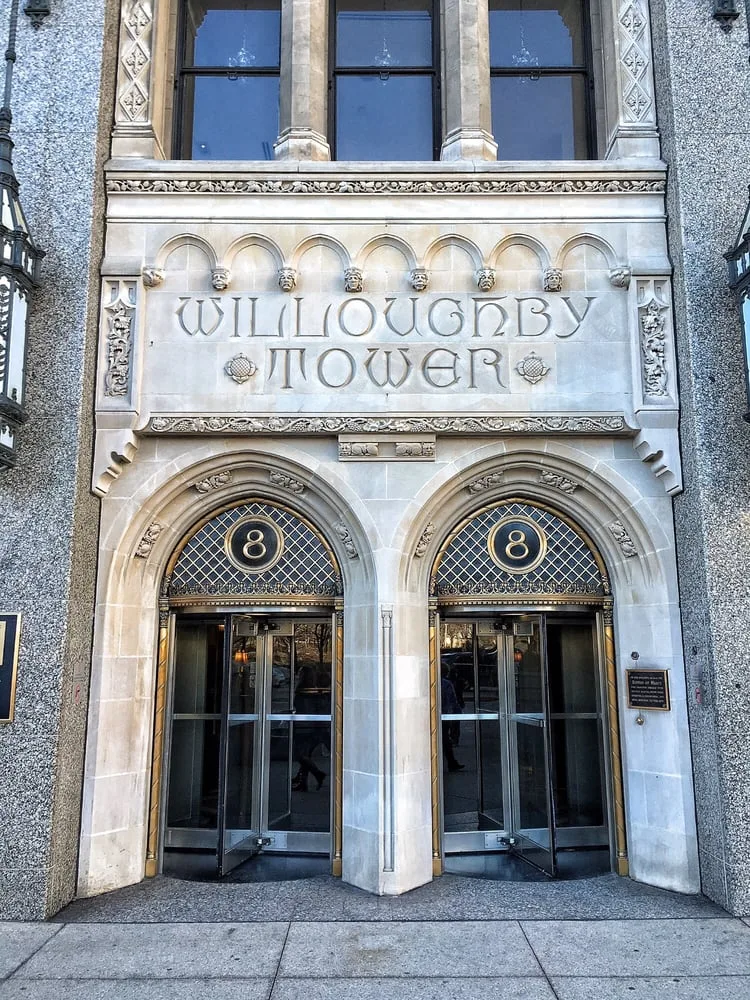
How It Works
Getting your device repaired is quick and simple.
Contact us 24/7
Call/Text: 734-454-0000
Email: hello@arbormacrepair.com
Or try our Online Booking Link
*Texts are always answered with priority.*
Schedule Your Service
Schedule your appointment in-office or on-site.
Meet your technician or come to our downtown office at:
8 S Michigan Ave, Suite 312, Chicago, IL 60603
3rd Floor of the Willoughby Tower
Fast Turnaround & Delivery
Your device is promptly diagnosed and fixed in under an hour on average! Return to work or exploring downtown Chicago hassle-free.
400+ 5 Star Reviews on Google
Quick, quality service at an unbeatable price makes Arbor Mac a local maverick, facing down larger franchises with no issue. Everyone likes an underdog.
"Great service, low cost, doesn't try to sell you something you don't need. Very accommodating and will come to you if you wish. VERY happy with my iPhone 8 repair, done in about 15 minutes."
— Lauren M. (Google Review)
"Top notch customer care. This company went out of their way to help a retired veteran with a cracked screen... Jack ordered the necessary parts, drove to a neighboring city, and completed the repair within 30 hours."
— BC Wells (Google Review)
"Very happy with my cracked cell phone repair. I called in the morning and he met me at a coffee shop near my house in the afternoon. Repair was done in less than 10 minutes."
— Evelyn D. (Google Review)
Our Location, Hours, & Service Area
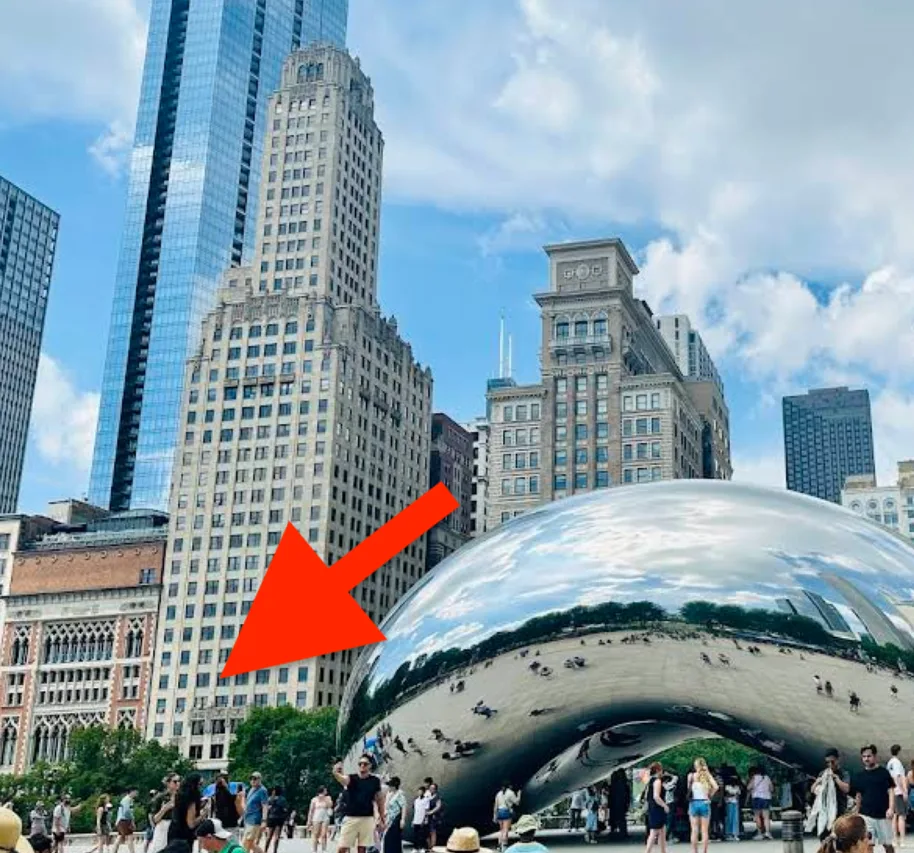
Visit us downtown Chicago for a walk-in or appointment:
8 S Michigan Ave, #312, Chicago, IL 60603
3rd Floor of the Willoughby Tower (Across from Millennium Park & the 'Bean')
Primary Neighborhood Coverage:
Walk-ins: Mon-Sun 12pm – 10pm
Appointments: Mon-Sun 12pm – 12am
Emergency & Concierge: 24/7 (In-office and on-site within and near the Loop. You do not have to leave your hotel or workplace, we can come to you.)
Lobby Check-In: Enter Willoughby Tower at 8 S Michigan Ave, check in briefly with the lobby security guard for Suite 312 (Arbor Mac), and take the elevators to the 3rd Floor.
Frequently Asked Questions
Everything you need to know about macbook data recovery and our shop policies.
Why can't you just pull the hard drive out of a dead M1, M2, M3, or M4 MacBook to get the files?
On all T2 (2018–2020) and Apple Silicon (M1–M4) Macs, the flash storage chips (NANDs) are permanently soldered onto the logic board and hardware-encrypted to the processor. The only way to access your files on a dead Mac is to repair the board's power and data circuits at the component level so the Mac can boot or enter Target Disk / DFU recovery mode. For a detailed comparison of board-level data recovery versus full logic board replacement, read our Apple Store Michigan Ave vs. Arbor Mac Guide. If your Mac powers on but cannot find a bootable disk, consult our MacBook Flashing Folder Question Mark Guide.
How much does MacBook data recovery cost, and what if my data is unrecoverable?
Every recovery starts with our $150 non-refundable bench triage (2–24 hours average), which is 100% credited toward your final recovery quote ($250 to $500 on average, or up to $900 for catastrophic board damage). Standard recoveries follow our No Fix, No Fee policy on the remaining balance—if we cannot extract your files, you owe nothing beyond the $150 triage fee.
How long does dead-MacBook data recovery take?
Initial triage takes 2 to 24 hours, and full board-revival data recovery takes 2 to 6 weeks on average. Once extracted, you verify your critical folders and files before the project is finalized.
Do you need my MacBook login password or FileVault recovery key for data recovery?
Yes—under our Privacy Policy, data recovery is one of the few services where your macOS login password or FileVault password is required so we can unlock the encrypted APFS volume and copy your files to an external drive once the board is revived.